Low Profile Graphics Cards: Full 2026 List and Best Picks
A low profile graphics card is a GPU with a PCIe bracket height of approximately 69mm (2.73 inches), roughly half the height of a standard full-height card, designed to fit in small form factor PCs, slimline cases, and compact prebuilts that can’t accommodate a regular-sized GPU.
Last updated: May 2026
Table of Contents
- What Is a Low Profile Graphics Card?
- Low Profile vs. Normal Graphics Card, Size and Slot Explained
- Why Low Profile Bracket Height Matters for Your Build
- Every Low Profile Graphics Card You Can Buy (2026 List)
- Low Profile GPUs That Need No External Power
- Low Profile GPUs With 12 GB or More
- Cards That Are Not Low Profile, Despite What Guides Say
- How to Choose a Low Profile Graphics Card, Key Specs to Check
- Power Draw and the 75W Rule
- VRAM, How Much Do You Actually Need?
- PCIe Generation, Does It Matter for LP Cards?
- Slot Width, 1-Slot vs. 2-Slot Low Profile
- Best Low Profile Graphics Cards, Top Picks by Category
- Best Overall Low Profile Graphics Card, NVIDIA RTX 5060 Low Profile
- Best High-Performance Value, NVIDIA RTX 4060 Low Profile
- Budget RTX 50-Series Pick, NVIDIA RTX 5050 Low Profile
- Best Budget Low Profile Graphics Card, AMD Radeon RX 6400 Low Profile
- Best NVIDIA Budget LP Pick, GTX 1650 Low Profile
- Best Intel Low Profile Option, Intel Arc A380 Low Profile
- Best Workstation and Professional LP Cards, NVIDIA RTX A2000 LP and Dell NVIDIA T400 4GB LP
- Best Entry-Level / HTPC LP Card, NVIDIA GT 1030 Low Profile GDDR5
- Legacy Picks Still Worth Considering on the Used Market
- Low Profile Graphics Card vs. Normal Graphics Card, Which Should You Choose?
- Upgrading a Prebuilt PC with a Low Profile GPU, What to Check First
- PSU Compatibility Checklist for LP Upgrades
- Physical Clearance, Beyond Bracket Height
- Single-Slot Low Profile GPUs, The Rarest Category
- Low Profile GPUs for Gaming, Realistic Expectations
- What Resolution Can You Game at with an LP GPU?
- Does DLSS / FSR / XeSS Help LP Gaming Cards?
- Frequently Asked Questions, Low Profile Graphics Cards
- What graphics cards are low profile?
- Are low profile GPUs good for gaming?
- Is the RTX 3050 a low-end GPU in LP form?
- What is the best low profile graphics card right now?
- Can I put a low profile GPU in a regular ATX case?
- What You Should Do
You’ve got a Dell Optiplex sitting on your desk, or maybe a slim HP EliteDesk, and the integrated graphics just aren’t cutting it anymore. You go to order a GPU and realize fast that a standard RTX 4070 is physically impossible to install. That’s the problem low profile graphics cards solve. Updated for 2026, this guide covers everything you need to know: what low profile means exactly, how to pick the right card for your specific setup, and which cards are worth your money right now across every budget tier.
Whether you’re upgrading a prebuilt office PC, assembling a compact HTPC, or building a whisper-quiet SFF rig from scratch, the low profile GPU market has genuinely improved. After years of near-stagnation, recent generations have brought real year-over-year performance uplifts to the segment. You’ve got more options than ever, and a few of them are legitimately good gaming cards.

What Is a Low Profile Graphics Card?
Low Profile vs. Normal Graphics Card, Size and Slot Explained
The term “low profile” has a specific, standardized meaning in PC hardware. It refers to the PCIe bracket height, not overall card length or thickness.
The numbers come from the PCI Express Card Electromechanical specification, which defines a low profile card as one “whose height is no more than 68.9 mm (2.731 inches)”. Two separate measurements get mixed up constantly, so both are below.
| Measurement | Low profile | Standard height |
|---|---|---|
| Card height (the board itself) | 68.9 mm (2.731 in) max | 111.28 mm (4.381 in) max |
| I/O bracket height | 79.2 mm (3.118 in) | 120.02 mm (4.725 in) |
| Maximum length | 167.65 mm (6.6 in) for a half-length card | Up to 312 mm for a full-length card |
So the card is 68.9 mm tall and the metal bracket is 79.2 mm, because the bracket extends past the board at both ends. A guide that quotes 69 mm as the “bracket height” is quoting the board. The figures here are from the PCI-SIG specification, Table 9-1 and Figures 9-5 and 9-9.
That height difference is the key constraint in SFF cases. The PCIe slot opening in a slim or small form factor chassis is cut to exactly 69mm clearance, so a full-height card physically won’t seat in the bracket cutout.
On slot width, LP cards come in two flavors: single-slot and dual-slot. Single-slot LP cards are rare and typically found in professional/workstation models. Most gaming-focused LP cards are dual-slot, meaning they take up two PCIe slot positions for a slightly larger heatsink. Both fit in LP-compatible cases, but single-slot cards are critical in ultra-tight builds where two PCIe slots aren’t available.
One thing worth clearing up immediately: “low profile” does not mean “Mini-ITX short card.” That’s a common misconception. Mini-ITX builds can often fit full-height GPUs, just shorter ones. Low profile is a bracket height specification, not a length specification. The two categories sometimes overlap, but they aren’t the same thing.
All low profile cards use the standard PCIe x16 interface. You’ll see them described as PCIe 3.0, 4.0, or 5.0 depending on the generation. The slot is electrically identical to a standard full-height PCIe x16 slot.
Why Low Profile Bracket Height Matters for Your Build
SFF cases have a fixed PCIe slot cutout height. If your case is designed for LP cards, that’s the only type of GPU that will physically fit and allow the side panel to close.
For prebuilt upgrades, this is even more rigid. Dell Optiplex SFF models, HP EliteDesk SFF units, and Lenovo ThinkCentre SFF machines all use LP-only PCIe slots. You can’t mod your way around it without major case surgery.
Most LP cards ship with two brackets in the box: a standard full-height bracket and a low profile bracket. That means you can use the same card in either a compact SFF build or a regular ATX tower. Always verify which bracket is pre-installed before you buy, and check that the LP bracket is actually included rather than sold separately.
Every Low Profile Graphics Card You Can Buy (2026 List)
Most buying guides give you five picks. The problem with that is that the low profile market is small enough to list in full, and which card is right for you usually comes down to one hard constraint: whether your power supply has a spare PCIe connector, or whether you have one slot or two. So here is the whole category, with the numbers taken from each manufacturer’s own specification page.
| Card | Memory | Board power | Extra power | Slots | Length | Source |
|---|---|---|---|---|---|---|
| RTX 5050 GIGABYTE GeForce RTX 5050 OC Low Profile 8G (GV-N5050OC-8GL) |
8 GB GDDR6 | 130 W | 1× 8-pin | 2 | 182 mm | spec page |
| RTX 5060 GIGABYTE GeForce RTX 5060 OC Low Profile 8G (GV-N5060OC-8GL) |
8 GB GDDR7 | 145 W | 1× 8-pin | 2 | 182 mm | spec page |
| RTX 5060 INNO3D GeForce RTX 5060 LOW PROFILE |
8 GB GDDR7 | 145 W | 1× 8-pin | 2 | 178 mm | spec page |
| RTX 4060 GIGABYTE GeForce RTX 4060 OC Low Profile 8G (GV-N4060OC-8GL) |
8 GB GDDR6 | 115 W | 1× 8-pin | 2 | 182 mm | spec page |
| RTX 3050 6GB GIGABYTE GeForce RTX 3050 OC Low Profile 6G (GV-N3050OC-6GL) |
6 GB GDDR6 | 70 W | None, slot powered | 2 | 181 mm | spec page |
| GTX 1630 used market GIGABYTE GeForce GTX 1630 D6 Low Profile 4G (GV-N1630D6-4GL) |
4 GB GDDR6 | — | None, slot powered | 2 | 166.9 mm | spec page |
| GTX 1650 used market GIGABYTE GeForce GTX 1650 OC Low Profile 4G (GV-N1656OC-4GL) |
4 GB GDDR6 | — | None, slot powered | 2 | 166.9 mm | spec page |
| GTX 1050 Ti used market GIGABYTE GeForce GTX 1050 Ti OC Low Profile 4G (GV-N105TOC-4GL) |
4 GB GDDR5 | — | None, slot powered | 2 | 167 mm | spec page |
| GT 1030 GIGABYTE GeForce GT 1030 Low Profile 2G (GV-N1030D5-2GL) |
2 GB GDDR5 | — | None, slot powered | 1 | 149.9 mm | spec page |
| GT 710 GIGABYTE GeForce GT 710 2GB (GV-N710D5-2GL) |
2 GB GDDR5 | — | None, slot powered | 1 | 145 mm | spec page |
| RX 6400 SAPPHIRE PULSE AMD Radeon RX 6400 Gaming 4GB GDDR6 |
4 GB GDDR6 | 55 W | None, slot powered | 1 | 170 mm | spec page |
| RX 6400 GIGABYTE Radeon RX 6400 D6 Low Profile 4G (GV-R64D6-4GL) |
4 GB GDDR6 | — | None, slot powered | 2 | 182 mm | spec page |
| RX 550 used market SAPPHIRE PULSE Radeon RX 550 4G GDDR5 Low Profile |
4 GB GDDR5 | 65 W | None, slot powered | 2 | 180 mm | spec page |
| Arc A380 SPARKLE Intel Arc A380 GENIE (SA380G-6G) |
6 GB GDDR6 | 75 W | None, slot powered | 2 | 145 mm | spec page |
| Arc A310 SPARKLE Intel Arc A310 ECO (SA310C-4G) |
4 GB GDDR6 | 50 W | None, slot powered | 1 | 156 mm | spec page |
| Arc Pro B50 Intel Arc Pro B50 GPU (16GB) |
16 GB GDDR6 | 70 W | None, slot powered | 2 | 168 mm | spec page |
| Arc Pro A40 used market Intel Arc Pro A40 GPU |
6 GB GDDR6 | 50 W | None, slot powered | 1 | 168 mm | spec page |
| Arc Pro A50 used market Intel Arc Pro A50 GPU |
6 GB GDDR6 | 75 W | None, slot powered | 2 | 168 mm | spec page |
| RTX PRO 4000 Blackwell SFF PNY NVIDIA RTX PRO 4000 Blackwell SFF Edition |
24 GB GDDR7 with ECC | 70 W | None, slot powered | 2 | 167.6 mm | spec page |
| RTX 4000 SFF Ada NVIDIA RTX 4000 SFF Ada Generation |
20 GB GDDR6 with ECC | 70 W | None, slot powered | 2 | 167.6 mm | spec page |
| RTX 2000 Ada PNY NVIDIA RTX 2000 Ada Generation |
16 GB GDDR6 with ECC | 70 W | None, slot powered | 2 | 167.6 mm | spec page |
| RTX PRO 2000 Blackwell PNY NVIDIA RTX PRO 2000 Blackwell |
16 GB GDDR7 with ECC | 70 W | None, slot powered | 2 | 167.6 mm | spec page |
| RTX A2000 12GB used market PNY NVIDIA RTX A2000 12GB |
12 GB GDDR6 with ECC | 70 W | None, slot powered | 2 | 167.6 mm | spec page |
| RTX A1000 PNY NVIDIA RTX A1000 |
8 GB GDDR6 | 50 W | None, slot powered | 1 | 162.6 mm | spec page |
| T1000 8GB PNY NVIDIA T1000 8GB |
8 GB GDDR6 | 50 W | None, slot powered | 1 | 155.9 mm | spec page |
| RTX A2000 6GB used market PNY NVIDIA RTX A2000 6GB |
6 GB GDDR6 with ECC | 70 W | None, slot powered | 2 | 167.6 mm | spec page |
| RTX A400 PNY NVIDIA RTX A400 |
4 GB GDDR6 | 50 W | None, slot powered | 1 | 162.6 mm | spec page |
| Radeon PRO W6400 AMD Radeon PRO W6400 |
4 GB GDDR6 | 50 W | None, slot powered | 1 | 168 mm | spec page |
| T400 4GB PNY NVIDIA T400 4GB |
4 GB GDDR6 | 30 W | None, slot powered | 1 | 155.9 mm | spec page |
| T600 PNY NVIDIA T600 |
4 GB GDDR6 | 40 W | None, slot powered | 1 | — | spec page |
Board power is the manufacturer’s published figure. Where a board partner does not publish one, the cell is blank rather than estimated; every card in that situation lists its power connectors as none, which caps it at the slot’s 75 W anyway. Length is the card length from the same page, and it varies between board partners for the same GPU, so check the model you are actually buying.
Low Profile GPUs That Need No External Power
This is the filter that matters most for a slim office prebuilt, because those machines often have no spare PCIe power cable at all. These cards draw everything from the slot: RTX 3050 6GB, GTX 1630, GTX 1650, GTX 1050 Ti, GT 1030, GT 710, RX 6400, RX 550, Arc A380, Arc A310, Arc Pro B50, Arc Pro A40, Arc Pro A50, RTX PRO 4000 Blackwell SFF, RTX 4000 SFF Ada, RTX 2000 Ada, RTX PRO 2000 Blackwell, RTX A2000 12GB, RTX A1000, T1000 8GB, RTX A2000 6GB, RTX A400, Radeon PRO W6400, T400 4GB, T600.
The other filter worth applying is slot width. Eleven of the cards above occupy a single slot rather than two, and they are listed with their specifications further down.
Low Profile GPUs With 12 GB or More
If memory capacity is the reason you are shopping, the consumer half-height range tops out at 8 GB. Above that you are in the workstation line: Arc Pro B50, RTX PRO 4000 Blackwell SFF, RTX 4000 SFF Ada, RTX 2000 Ada, RTX PRO 2000 Blackwell, RTX A2000 12GB. All of them run on slot power alone.
Cards That Are Not Low Profile, Despite What Guides Say
Two corrections worth making before you buy. The Radeon PRO W7500 is single slot, and it appears in plenty of low profile lists, but AMD’s own specification table gives its board height as full height and its length as 216 mm. It is not a half-height card. And a compact or ITX-branded card is not the same thing either: those are short full-height cards, which will not fit a slim chassis at all.
How to Choose a Low Profile Graphics Card, Key Specs to Check

Power Draw and the 75W Rule
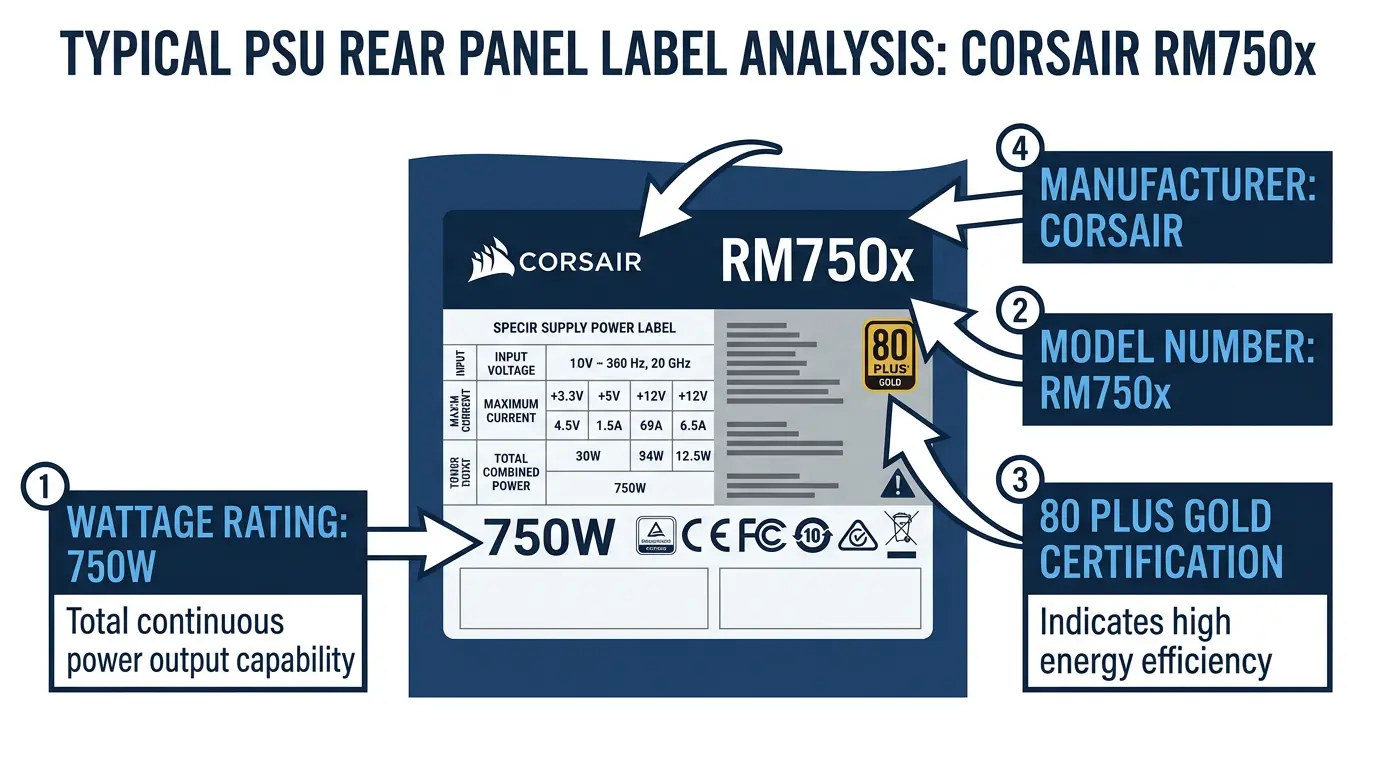
This is the single most important spec for prebuilt upgrades. Cards rated at 75W or below can draw all their power directly from the PCIe x16 slot. No external connector needed. That matters because most slim prebuilts have PSUs with no spare 6-pin or 8-pin PCIe power connectors.
Cards above 75W require an external power connector, typically a 6-pin or 8-pin PCIe cable. If your Dell Optiplex or HP EliteDesk PSU doesn’t have one, you’re either stuck using an adapter (risky if the PSU can’t handle the load) or limited to sub-75W cards.
The 75 W figure is in the specification, with one detail worth knowing. A x4, x8 or x16 card “is limited to a 25 W maximum power dissipation at initial power up. When a card is configured for high power, it must not exceed a 75 W maximum power dissipation” (PCI-SIG, section 4.2). That 25 W start-up figure is sometimes quoted as a hard ceiling for half-height cards. It is not: a low profile card negotiates up to the full 75 W like any other, which is why 70 W slot-powered cards exist and work.
The other detail: the 75 W is a combined limit across both rails. The specification allows 3.0 A on +3.3 V and 5.5 A on +12 V, which adds up to 75.9 W on paper, but caps the sum of the two at 75 W. So 75 W, not 75.9 W, is the number to plan around.
The practical rule: If you’re upgrading a compact prebuilt with an unknown or weak PSU, stay at 75W or below. If your PSU has a spare 8-pin connector and enough total wattage, the RTX 4060 LP, RTX 5050 LP, and RTX 5060 LP open up.
VRAM, How Much Do You Actually Need?
VRAM requirements scale with resolution and game complexity. Here’s how to think about it for LP cards specifically:
- 2GB LP cards (GT 1030): Basic display output, 4K video playback via hardware decode, older indie titles. Not for modern gaming.
- 4GB LP cards (GTX 1650 LP, RX 6400 LP): The budget gaming sweet spot at 1080p with medium settings. Fine for most 2022-era titles and older.
- 6GB LP cards (Intel Arc A380 LP): Comfortable 1080p gaming with more headroom for texture-heavy titles.
- 8GB LP cards (RTX 4060 LP, RTX 5050 LP, RTX 5060 LP): Solid 1080p, viable for light 1440p. This is where modern gaming starts feeling comfortable.
- 12–16GB LP cards (RTX A2000 LP, RTX A4000 LP): Workstation territory. Not gaming cards in the traditional sense, but excellent for CAD, multi-display, and professional workflows.
| Use Case | Recommended VRAM | Card Examples |
|---|---|---|
| HTPC / 4K video playback | 2GB | GT 1030 GDDR5 LP |
| Casual / older titles | 4GB | GTX 1650 LP, RX 6400 LP |
| 1080p gaming (modern titles) | 6–8GB | Arc A380 LP, RTX 4060 LP |
| Workstation / professional | 12–16GB | RTX A2000 LP, RTX A4000 LP |
PCIe Generation, Does It Matter for LP Cards?
Short answer: not really. At the performance levels LP cards operate, PCIe 3.0 bandwidth is rarely a bottleneck. A PCIe 4.0 LP card in an older PCIe 3.0 slot will run at 3.0 speeds automatically. You won’t lose meaningful performance. Backward compatibility is guaranteed in both directions.
The one exception is if you pair a PCIe 5.0 card (RTX 5060 LP) with a very old platform running PCIe 2.0. Even then, the performance hit is small at 1080p. Don’t let PCIe generation be the deciding factor in your purchase. Specs, VRAM, and TDP matter far more.
Slot Width, 1-Slot vs. 2-Slot Low Profile
Most LP cards on the market today are dual-slot. Single-slot LP cards exist, but they’re increasingly rare and limited mostly to professional/workstation lines.
Current single-slot LP cards worth knowing about:
- NVIDIA RTX A2000 LP (single-slot variant)
- NVIDIA T400 4GB LP
- Older Quadro P400 (still available used)
- Some GT 1030 variants (check the specific SKU)
The tradeoff with single-slot is thermal headroom. Less heatsink surface area means the card runs hotter and often spins its fan faster under load. If you’re concerned about how hot your LP card gets under sustained load, knowing normal GPU temperature safe ranges will help you set realistic expectations before you buy.
Best Low Profile Graphics Cards, Top Picks by Category

| Card | VRAM | TDP | PCIe | Slot Width | Ext. Power | ~Price | Best For |
|---|---|---|---|---|---|---|---|
| NVIDIA RTX 5060 LP | 8GB GDDR7 | ~115W | 5.0 | Dual | Yes (8-pin) | ~$349 | Best overall |
| NVIDIA RTX 5050 LP | 8GB GDDR6 | 130W | 5.0 | Dual | Yes (8-pin) | ~$249 | Best budget RTX 50-series |
| NVIDIA RTX 4060 LP | 8GB GDDR6 | 115W | 4.0 | Dual | Yes (8-pin) | ~$299 | Best high-performance value |
| AMD RX 6400 LP | 4GB GDDR6 | 53W | 4.0 | Dual | No | ~$109 | Best budget AMD |
| NVIDIA GTX 1650 LP | 4GB GDDR5/6 | 75W | 3.0 | Dual | No | ~$119 | Best sub-$150 NVIDIA |
| Intel Arc A380 LP | 6GB GDDR6 | 75W | 4.0 | Dual | No | ~$129 | Best Intel LP option |
| NVIDIA RTX A2000 LP | 12GB GDDR6 | 70W | 4.0 | Single | No | ~$399 | Best workstation LP |
| NVIDIA GT 1030 LP | 2GB GDDR5 | 30W | 3.0 | Single | No | ~$79 | Cheapest / HTPC only |
| AMD RX 550 LP | 4GB GDDR5 | 50W | 3.0 | Dual | No | ~$89 | Budget AMD (used market) |
Best Overall Low Profile Graphics Card, NVIDIA RTX 5060 Low Profile
The RTX 5060 LP is the most significant new entry to the low profile segment in years. Not just a rebadge. NVIDIA launched the RTX 5060 series in 2025 as a proper generational step, and the LP variant carries that improvement into the compact form factor.
Specs: 8 GB GDDR7, PCIe 5.0, dual slot, one 8-pin connector required. NVIDIA rates the RTX 5060 at 145 W total graphics power, and Gigabyte asks for a 550 W power supply on its low profile model. Performance estimates put it roughly 20 to 30 percent ahead of the RTX 4060 LP in 1080p gaming workloads, based on launch data from the full-sized RTX 5060 class. DLSS 4 support, including Multi Frame Generation, is included.
The catch is the 8-pin requirement. If your prebuilt PSU doesn’t have a spare connector, this card isn’t a drop-in upgrade. For custom SFF builds with a proper PSU, it’s the clear best overall LP pick right now.
Best High-Performance Value, NVIDIA RTX 4060 Low Profile
If you don’t need cutting-edge or the RTX 5060 LP is out of stock, the RTX 4060 LP remains a highly capable LP gaming card.
Specs: 8 GB GDDR6, 115 W total graphics power, PCIe 4.0 x8, dual slot, one 8-pin connector required, and a 450 W power supply recommended by Gigabyte. In practical 1080p gaming, you’re looking at roughly 65fps in Cyberpunk 2077 at medium settings, 120fps-plus in Fortnite at high settings, and well over 200fps in Minecraft. DLSS 3 with Frame Generation is supported.
This is a legitimate gaming card. Full stop. The 115W TDP means you need a PSU that can deliver an 8-pin connector and has enough headroom, but for SFF builds with a quality PSU, it’s a strong value option below the RTX 5060 LP.
For reference, you can see how PCIe connections and riser cables work if you’re planning a vertical GPU mount in your SFF case with this card.
Budget RTX 50-Series Pick, NVIDIA RTX 5050 Low Profile
The RTX 5050 LP launched in late July 2025 as NVIDIA’s entry-level Blackwell GPU, and GIGABYTE has released a low profile variant with three fans. It uses 8GB GDDR6 memory on a 128-bit bus, 2,560 CUDA cores, a 130W TDP, and PCIe 5.0. An 8-pin external power connector is required, so this is not a drop-in upgrade for stock Optiplex or EliteDesk PSUs without a spare PCIe connector.
At a $249 MSRP, the RTX 5050 LP sits $50 below the RTX 5060 LP and offers DLSS 4 with Multi Frame Generation support. In raw performance, it sits close to the RTX 4060 in most 1080p gaming workloads, with the architectural improvements of Blackwell partly compensating for the GDDR6 memory versus the RTX 5060’s GDDR7. Note that the laptop variant uses GDDR7; the desktop variant ships with GDDR6 to keep the price competitive.
For SFF builds with a quality PSU and an 8-pin connector, this is the most affordable way into the RTX 50 series with low profile compatibility.
Best Budget Low Profile Graphics Card, AMD Radeon RX 6400 Low Profile
At around $109, the AMD Radeon RX 6400 LP is the best budget LP card you can buy right now. It draws only 53W from the PCIe slot. No external power connector needed. It works in almost every Dell Optiplex, HP EliteDesk, and Lenovo SFF machine you can name.
Performance is roughly 25 percent faster than the GTX 1650 LP in rasterization workloads. For 1080p gaming at medium settings, it handles most titles from 2020 and earlier without issue. Modern games at 1080p medium are doable, though you’ll need to dial back settings in more demanding titles.
One real limitation to flag: the RX 6400 LP has no hardware video encoding. Zero. If you plan to stream, record gameplay, or do any video production work, that’s a significant problem. For pure gaming and display output, it doesn’t matter. Know your use case before you buy.
Best NVIDIA Budget LP Pick, GTX 1650 Low Profile
The GTX 1650 LP has been the go-to budget NVIDIA LP card for years, and it still holds up. Available from ASUS, MSI, GALAX, and others, it runs at 75W with no external power connector and plugs into any PCIe 3.0 slot.
One important variant note: some GTX 1650 LP cards come with GDDR5 memory, some with GDDR6. The GDDR6 version is noticeably faster. Check the spec sheet before buying, not just the card name. The difference matters at this performance tier.
Benchmark-wise, the GTX 1650 LP sits about 15 to 20 percent behind the RX 6400 LP in rasterization. New, the price gap makes the RX 6400 LP the smarter pick. Used, GTX 1650 LP cards appear frequently at $70 to $90, which is harder to argue with if the GDDR6 variant is available.
Best Intel Low Profile Option, Intel Arc A380 Low Profile
The Intel Arc A380 LP sits in an interesting spot. 6GB GDDR6, 75W TDP, PCIe 4.0, no external power required. The driver situation has improved substantially since the rocky 2022 launch. In DirectX 12 and Vulkan titles, performance is competitive with the GTX 1650 LP and occasionally beats it.
Where it struggles is older DX11 titles. Some older games still run notably worse on Arc versus equivalent NVIDIA or AMD hardware. If your game library skews modern, the A380 LP is a solid pick with a unique advantage: XeSS upscaling support, which provides DLSS-quality upscaling across compatible titles at no extra cost.
For the price, it’s the best Intel LP option available and worth considering for anyone building an HTPC or SFF machine around modern DX12 games.
Best Workstation and Professional LP Cards, NVIDIA RTX A2000 LP and Dell NVIDIA T400 4GB LP
These aren’t gaming cards. They’re designed for CAD, video editing, multi-display setups, and applications that require certified professional drivers.
The NVIDIA RTX A2000 LP is the standout: 12GB GDDR6, 70W TDP, single-slot, no external power required. According to discussion in TechPowerUp’s GPU forums, the RTX A2000 LP delivers performance within about 10 percent of the RTX 3050 while staying comfortably under 75W, making it an excellent option for builds with strict power budgets.
The Dell NVIDIA T400 4GB LP is a step below in raw performance but offers ECC memory support and certified drivers for professional software like AutoCAD and SolidWorks. If you’re running a compact workstation and need driver certification, the T400 is worth the premium.
For the absolute highest VRAM in an LP card, the RTX A4000 LP pushes to 16GB GDDR6, though pricing runs above $700 and into specialized territory.
Best Entry-Level / HTPC LP Card, NVIDIA GT 1030 Low Profile GDDR5
The GT 1030 LP exists for one purpose: adding display output to a system that has none, or offloading 4K video decode from the CPU in an HTPC. That’s it. Don’t buy it expecting to game.
Specs: 2GB GDDR5, 30W TDP, PCIe 3.0, single-slot, no external power. Silent. Barely warmer than idle. Perfect for media servers and living room PCs.
The critical warning here: there are two GT 1030 LP variants. The GDDR5 version and the DDR4 version. The DDR4 variant is roughly 50 percent slower due to the drastically lower memory bandwidth. This is a well-known buyer trap. Always verify you’re getting the GDDR5 SKU before purchasing. Check the box, the product listing specs, and if buying used, the GPU-Z output.
Legacy Picks Still Worth Considering on the Used Market
Not worth buying new. Still worth knowing about.
- GTX 1050 LP: 4GB, 75W, PCIe 3.0. Slightly slower than the GTX 1650 LP. Expect $50 to $70 used. Driver support continues through current NVIDIA driver branches.
- GTX 1050 Ti LP: Rarer but marginally faster than the 1050 LP. Worth hunting on used markets if priced under $80.
- GTX 750 Ti LP: 2GB, 60W, PCIe 3.0. Useful only for very old SFF systems that can’t run more modern cards. Expect $25 to $40 used.
- RX 550 LP: 4GB, 50W, PCIe 3.0. AMD’s older budget LP entry. Slower than the RX 6400 LP but available used for $60 to $80. Driver support continues through AMD’s current Adrenalin software.
For all used purchases, check AMD and NVIDIA’s driver support documentation to confirm the card receives updates for your OS version before buying.
Low Profile Graphics Card vs. Normal Graphics Card, Which Should You Choose?
| Factor | Low Profile GPU | Standard GPU |
|---|---|---|
| Bracket height | 69mm | 111mm |
| Card length | 150–182mm | 200–340mm+ |
| Typical TDP | 30–130W | 75–450W |
| External power connector | Often not required | Almost always required |
| Performance ceiling | ~RTX 5060 class | No ceiling |
| Price premium vs. equivalent | ~10–20% higher | Baseline |
| Use case | SFF, prebuilt, HTPC | Full ATX / mATX towers |
Go LP when: your case physically requires it, you’re upgrading a compact prebuilt, or you’re building a silent HTPC where a full-size GPU would be overkill on noise and power.
Don’t go LP when: you’re gaming at 1440p or 4K, running heavy workstation rendering that benefits from a beefy GPU, or building a Mini-ITX tower that can actually fit a full-height card. A standard GPU will always give you more performance per dollar than its LP counterpart. The LP premium exists purely for the physical constraint.
Upgrading a Prebuilt PC with a Low Profile GPU, What to Check First
PSU Compatibility Checklist for LP Upgrades
This is where upgrades go wrong. Most compact prebuilts have PSUs sized tightly for their factory configuration.
Common Dell Optiplex SFF PSU wattages for reference:
- Optiplex 3050 SFF: 180W
- Optiplex 5070 SFF: 200W
- Optiplex 7070 SFF: 200W
- Optiplex 3070 SFF: 200W
The math for safe power headroom is straightforward: CPU TDP plus GPU TDP plus 20 percent buffer equals your minimum required PSU wattage.
Example: An i5-8500 at 65W combined with an RX 6400 LP at 53W equals 118W. Add 20 percent headroom and you need 141W minimum. A 180W Optiplex PSU handles that safely.
Now run that same calculation with an RTX 4060 LP at 115W. That brings total system draw to roughly 216W with headroom. A 200W PSU won’t handle it reliably. A 260W PSU will. This is why knowing your exact prebuilt’s PSU wattage before buying any LP card above 75W is non-negotiable.
The second issue is connector availability. Dell Optiplex SFF PSUs typically have no external PCIe power connectors at all. That means cards requiring a 6-pin or 8-pin connector aren’t straightforward drop-ins. You’d need a Molex-to-PCIe adapter, and you’d need to confirm the PSU can actually deliver that additional power load on those rails. Not ideal. Staying at 75W or below is a cleaner solution in most stock prebuilts.
Physical Clearance, Beyond Bracket Height
The 69mm bracket height isn’t the only physical constraint. Card length matters too. Most SFF cases have internal obstructions: HDD cages, optical drive bays, or capacitors on the motherboard near the PCIe slot that can physically block longer LP cards.
Measure the available card length in your specific case before ordering. Most LP cards run 150mm to 182mm in length. Some SFF cases have clearance as low as 167mm. A card that’s 168mm won’t fit cleanly.
Also check dual-slot clearance. Some ultra-tight SFF cases have the second PCIe slot position obstructed by a drive bay or PSU bracket. A dual-slot LP card physically can’t seat in those cases, even if the bracket height fits. Single-slot LP cards exist for this exact reason.
Single-Slot Low Profile GPUs, The Rarest Category

Single-slot LP cards exist because some builds genuinely need them. Server rack density, specialty SFF cases with obstructed second slots, and builds where minimizing heat concentration matters most.
These are the single slot cards, with the figures from each manufacturer’s specification page. Note how few of them are consumer cards.
| Card | Memory | Board power | Model used for the specs | Source |
|---|---|---|---|---|
| GT 1030 | 2 GB | — | GIGABYTE GeForce GT 1030 Low Profile 2G (GV-N1030D5-2GL) | spec page |
| GT 710 | 2 GB | — | GIGABYTE GeForce GT 710 2GB (GV-N710D5-2GL) | spec page |
| RX 6400 | 4 GB | 55 W | SAPPHIRE PULSE AMD Radeon RX 6400 Gaming 4GB GDDR6 | spec page |
| Arc A310 | 4 GB | 50 W | SPARKLE Intel Arc A310 ECO (SA310C-4G) | spec page |
| Arc Pro A40 | 6 GB | 50 W | Intel Arc Pro A40 GPU | spec page |
| RTX A1000 | 8 GB | 50 W | PNY NVIDIA RTX A1000 | spec page |
| T1000 8GB | 8 GB | 50 W | PNY NVIDIA T1000 8GB | spec page |
| RTX A400 | 4 GB | 50 W | PNY NVIDIA RTX A400 | spec page |
| Radeon PRO W6400 | 4 GB | 50 W | AMD Radeon PRO W6400 | spec page |
| T400 4GB | 4 GB | 30 W | PNY NVIDIA T400 4GB | spec page |
| T600 | 4 GB | 40 W | PNY NVIDIA T600 | spec page |
One correction, because it appears in a lot of lists including older versions of this one: the RTX A2000 is a low profile card but it is dual slot, not single slot. If you need one slot, the list above is the real set.
The thermal tradeoff is real. A single-slot heatsink has significantly less surface area than a dual-slot design. Under sustained load, single-slot LP cards run hotter and their fans spin up noticeably more. Not a deal-breaker, but worth knowing going in. They’re not designed for extended gaming sessions in most cases.
Low Profile GPUs for Gaming, Realistic Expectations

What Resolution Can You Game at with an LP GPU?
Honest answer by tier:
| Card | Realistic Gaming Resolution | Example Performance |
|---|---|---|
| GT 1030 LP / RX 550 LP | 720p low to 1080p low, older titles only | Minecraft 1080p ~60fps, GTA V 720p ~40fps |
| GTX 1650 LP / RX 6400 LP | 1080p medium, most modern titles 40–60fps | Fortnite 1080p medium ~55fps, CS2 ~90fps |
| Arc A380 LP | 1080p medium-high, DX12 titles | Valorant ~120fps, Cyberpunk 720p medium ~45fps |
| RTX 4060 LP / RTX 5050 LP / RTX 5060 LP | 1080p ultra, light 1440p | Cyberpunk 1080p medium ~65fps, Fortnite ~120fps+ |
The GT 1030 and RX 550 are not gaming cards in any modern sense. Worth saying plainly.
Does DLSS / FSR / XeSS Help LP Gaming Cards?
Yes, and it makes a real difference at this performance tier.
- NVIDIA RTX 4060 LP / RTX 5050 LP / RTX 5060 LP: DLSS 3 and DLSS 4 support including Frame Generation. A game running at 50fps native can hit 90fps-plus with DLSS Quality + Frame Generation. This is a genuinely useful feature on LP hardware.
- AMD RX 6400 LP: FSR upscaling support via Adrenalin driver. Works across nearly every GPU regardless of brand at no driver-level restriction. Expect 30 to 50 percent FPS uplift in supported titles at FSR Quality mode.
- Intel Arc A380 LP: XeSS upscaling support. In DX12 titles with XeSS integration, performance uplift is comparable to FSR Quality mode.
For LP gaming specifically, upscaling is less of a luxury and more of a practical necessity in demanding titles. Don’t overlook it when evaluating card options.
Frequently Asked Questions, Low Profile Graphics Cards
What graphics cards are low profile?
A low profile card is one no taller than 68.90 mm, which is the limit set in the PCI Express Card Electromechanical specification. Its metal bracket is 79.20 mm, and those two numbers get confused constantly. The current range covers all three manufacturers: from NVIDIA the GT 710, GT 1030, GTX 1050 Ti, GTX 1630, GTX 1650, RTX 3050 6GB, RTX 4060, RTX 5050 and RTX 5060, plus the workstation T400, T600, T1000, A400, A1000, A2000, RTX 2000 Ada, RTX 4000 SFF Ada, RTX PRO 2000 and RTX PRO 4000 SFF; from AMD the RX 550, RX 6400 and Radeon PRO W6400; from Intel the Arc A310, Arc A380 and Arc Pro B50. The full table with power, slots and length is earlier in this guide. Most are dual slot; a small number are single slot. Any card marketed with “LP” or “low profile” in the product name should ship with a low profile bracket, but verify this before purchasing.
Are low profile GPUs good for gaming?
It depends entirely on which card and what settings you expect. The RTX 4060 LP, RTX 5050 LP, and RTX 5060 LP are genuinely capable 1080p gaming cards. They’re not compromised versions that happen to fit in small cases. They’re real gaming hardware in a smaller bracket. The GTX 1650 LP and RX 6400 LP are solid for 1080p in less demanding titles. The GT 1030 LP and RX 550 LP are not recommended for modern gaming at any resolution. Set expectations by card tier, not by the LP form factor itself.
Is the RTX 3050 a low-end GPU in LP form?
In absolute terms, the RTX 3050 LP is a mid-tier LP card, not a low-end one. Within the LP segment, it sits above the GTX 1650 LP and RX 6400 LP and below the RTX 4060 LP. The performance gap between the RTX 3050 LP and RTX 4060 LP is approximately 25 to 30 percent in most gaming workloads. Whether “low-end” applies depends on your frame of reference. Compared to a full-size RTX 4080, yes. Compared to the LP segment overall, no. It’s a competitive mid-range LP card, particularly available at strong used prices.
What is the best low profile graphics card right now?
Best overall: RTX 5060 LP, if your PSU has an 8-pin connector and sufficient wattage. Best value: RTX 4060 LP for similar reasons at a lower price. Best budget RTX 50-series: RTX 5050 LP at $249 MSRP (8-pin required). Best budget overall: AMD RX 6400 LP at around $109 with no external power requirement. Best where there is no spare power connector: the RX 6400, which Sapphire rates at 55 W, or the RTX 3050 6GB at 70 W, which is the fastest GeForce card that runs on slot power alone. Best workstation: NVIDIA RTX A2000 LP. Best HTPC only: GT 1030 GDDR5 LP.
Can I put a low profile GPU in a regular ATX case?
Yes. LP cards ship with a standard full-height bracket included in most cases. Install the standard bracket, slot the card into any PCIe x16 slot, and it works identically to a full-size card. There’s no performance impact from using an LP card in a full tower. It may look a little odd with the smaller bracket footprint, but functionally it’s fine. The only reason not to use an LP card in a full ATX build is that you’re paying an LP premium for a size constraint you don’t have.
What You Should Do
Start by checking your case or prebuilt’s PSU wattage and available power connectors. That single decision narrows your options faster than any other spec. If you’re on a 200W Optiplex PSU with no 8-pin connector, the RX 6400 LP is your best bet. If you have a quality SFF PSU with an 8-pin available and want real gaming performance, the RTX 5060 LP is the top pick, with the RTX 4060 LP and RTX 5050 LP as strong value alternatives. For HTPC use and nothing else, the GT 1030 GDDR5 LP costs less than most video games and does exactly what you need. Match the card to the actual constraint, not to the spec sheet you wish you had.

Alex has been building and tweaking custom PCs for over 12 years. From budget builds to full custom water loops, he’s assembled more than 50 systems and helped hundreds of builders troubleshoot their rigs. When he’s not benchmarking the latest hardware, you’ll find him optimizing airflow setups or stress-testing overclocks.