Best Black PC Builds and Stealth Setup Ideas for 2026
A stealth PC build, also called an all black PC build, is a gaming or workstation setup built entirely around black hardware, dark peripherals, and minimal RGB to achieve a high-contrast, cinematic aesthetic, often compared to the popular white gaming setup trend.
Last updated: May 2026
Table of Contents
- Why Choose a Black Gaming Setup Over a White Gaming Setup?
- The Case for Going Dark: Aesthetics and Psychology
- Practical Advantages Nobody Talks About
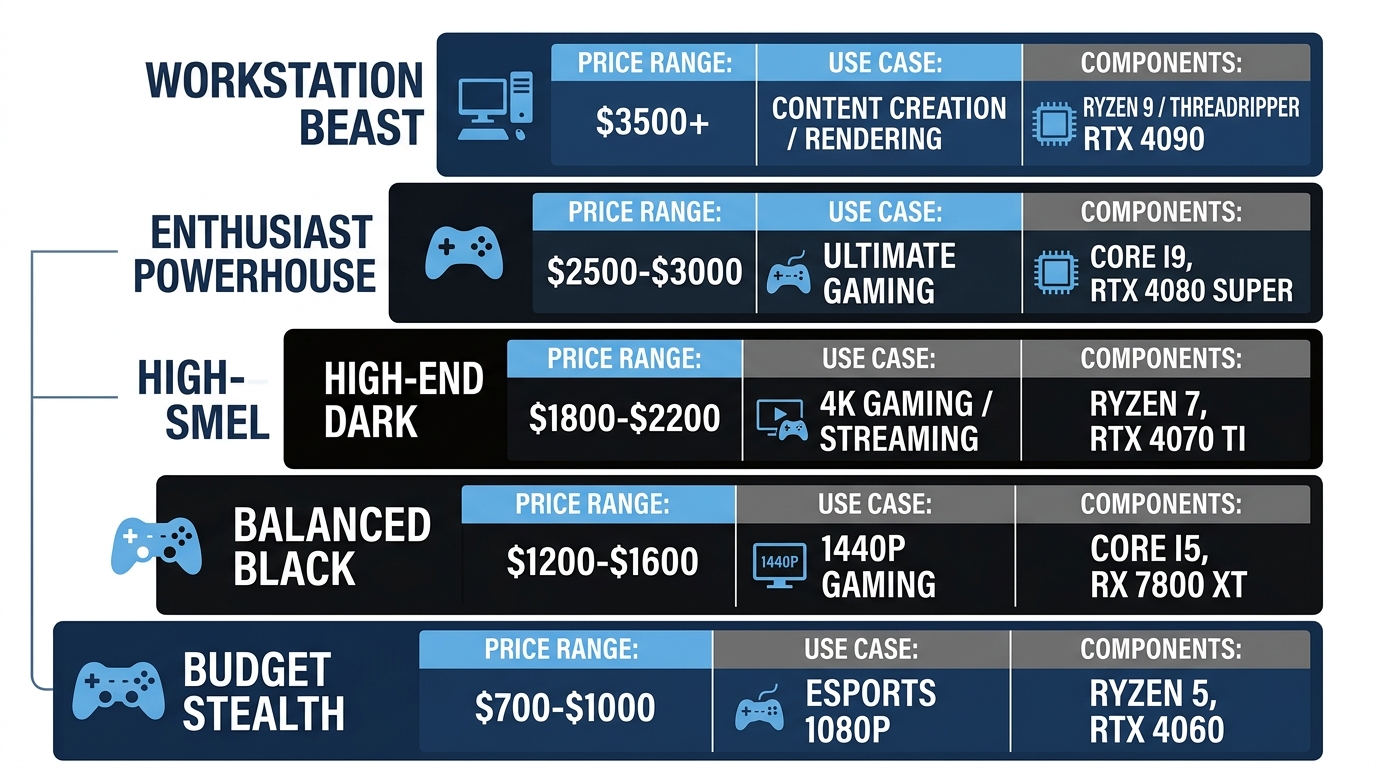
- The 5 Best All Black PC Build Tiers for 2026
- Budget Stealth Build: Around $700-$750
- Mid-Range Stealth Build: $1,000-$1,500
- High-End Stealth Build: $2,000-$2,800
- ITX Stealth Build: Compact Black PC Under $1,200
- AMD vs. Intel for a Black PC Build: Does It Matter?
- Stealth PC Build: The Art of True Black Aesthetics
- The 5 Rules of a True Stealth PC Build
- Stealth Cable Management Tips That Actually Work
- Black Gaming Setup Ideas: Building the Full Battlestation
- The Black Desk Setup: Furniture and Surface Choices
- Black Gaming Peripherals That Complete the Setup
- Lighting a Black Gaming Setup: Less Is More
- Black vs. White Gaming Setup: Which Should You Build?
- Head-to-Head Comparison
- Stealth Setup Ideas by Room Type
- Small Room / Apartment Stealth Setups
- Dual-Monitor Stealth Command Center
- Streaming Stealth Setup
- Frequently Asked Questions
- What is the best color for a gaming setup?
- How long will a $2,000 gaming PC last?
- Are black PC builds harder to keep cool than white builds?
- What makes a PC build “stealth”?
- Can I mix black and white components in a stealth build?
- Final Thoughts
58%. That’s roughly the share of PC builders who prefer black or dark gray cases over white or lighter alternatives, based on community estimates. While a white gaming setup dominates Pinterest boards and Instagram feeds, the black gaming setup has quietly become the dominant choice for builders who want drama, practicality, and premium aesthetics without the maintenance headaches. This guide covers every tier of all black PC build, from sub-$700 budget stealth rigs to $2,800 powerhouses, plus full battlestation ideas, stealth philosophy, and a direct comparison of black vs. white gaming setups so you can make the right call for your room and your budget.
Jump to a section:
- Why Choose Black Over White?
- The 5 Best All Black PC Build Tiers
- The Art of True Stealth Aesthetics
- Black Gaming Setup Battlestation Ideas
- Black vs. White Gaming Setup Comparison
- Stealth Setup Ideas by Room Type
- FAQ
- Final Thoughts
- 🟢 Component availability: 85%+ of PC parts ship in black as standard
- 🟢 RGB contrast: LEDs pop significantly harder against black surfaces than white
- 🟢 Dust and fingerprint visibility: Much lower on matte black vs. gloss white
- 🟡 White gaming setup: Better in bright rooms, more trending on social media
- 🟡 Hybrid black/white builds: Growing trend, works if intentional
- 🔴 Gloss white plastics: Yellow noticeably within 3-5 years of UV exposure
- 🔴 Silver screws and white cables: Immediate stealth killers, easy to fix
Why Choose a Black Gaming Setup Over a White Gaming Setup?
The Case for Going Dark: Aesthetics and Psychology
Black absorbs light rather than reflecting it. That single physical property is what makes a black gaming setup feel cinematic instead of clinical. In a darkened room, the contrast between your screen content and the surrounding environment is sharper with dark surfaces around you. White surfaces bounce ambient light back at you, which can wash out perceived screen brightness and reduce immersion.
Color psychology backs this up too. Black is consistently associated with focus, prestige, and power in consumer research, while white reads as clean and airy. Neither is wrong. But if your goal is a setup that feels like a command center rather than an Apple Store, black wins every time.
The natural point of comparison is the white gaming setup trend, which exploded on social media between 2021 and 2024. White setups win on brightness, trendiness, and a certain Scandinavian-minimalist appeal. Black setups win on drama, longevity, and sheer availability of compatible components. Both are valid. Just know what you’re optimizing for before you buy anything.
Practical Advantages Nobody Talks About
Here’s where the black gaming setup genuinely earns its place beyond aesthetics.
Dust visibility: Matte black surfaces can go two to three times longer between visible cleaning cycles compared to white or light gray surfaces. Dust particles on white gloss are visible at arm’s length. On matte black, you need to look for it. Not a small thing if you’re cleaning your setup monthly.
Fingerprints and smudges: Gloss white peripherals and cases are fingerprint magnets. Matte black is significantly more forgiving. Touch your white case once with clean hands and you’ll see it. Matte black panels absorb that visual noise entirely.
Resale value: Black PC components hold resale value better on secondary markets due to broader buyer demand. A white GPU or white case appeals to a narrower pool of buyers if you sell down the road. Black is universal.
RGB performance: This is the big one. RGB LEDs genuinely pop harder against black surfaces. White interior cases diffuse and scatter light, softening the effect. Black interiors act as a backdrop that makes every LED look more intentional and vivid. According to GAMDIAS, as noted by TechPowerUp, all-white peripheral kits with white surfaces provide a premium feel, but the contrast ceiling for RGB effects is simply higher on dark surfaces.
Yellowing: White plastics yellow with UV exposure over three to five years. Black plastics don’t have this problem. A black gaming setup looks the same in year five as it did on day one.
The 5 Best All Black PC Build Tiers for 2026
Budget Stealth Build: Around $700-$750
This tier targets 1080p gaming at 60-100+ FPS in modern AAA titles while keeping the full black aesthetic intact. On a tight budget, prioritize case color and peripheral consistency above all else.
| Component | Recommended Part | Price (Est.) | Color |
|---|---|---|---|
| Case | Fractal Design Core 1000 Black | ~$45 | Matte Black |
| GPU | RX 7600 (matte black dual-fan) | ~$230 | Black |
| CPU | AMD Ryzen 5 7600 | ~$185 | N/A |
| Motherboard | MSI B650M Pro-A (black PCB) | ~$130 | Black PCB |
| RAM | Corsair Vengeance DDR5 Black | ~$70 | Black |
| PSU | EVGA 650 BQ (fully sleeved black) | ~$75 | Black |
| Total Est. | ~$735 |
Stealth tip: Skip the tempered glass side panel at this budget tier. A solid matte black steel panel is actually more stealth than glass anyway. You’re hiding the interior, not showing it off. That’s the point.
Mid-Range Stealth Build: $1,000-$1,500
This is the sweet spot. A true all black PC build with 1440p capability, premium case quality, and enough budget for proper black cable management. This is the build most serious stealth builders land on.
| Component | Recommended Part | Price (Est.) | Color |
|---|---|---|---|
| Case | Lian Li O11 Air Mini Black | ~$100 | Matte Black |
| GPU | RTX 4070 Super (ASUS TUF Black) | ~$600 | Black/Dark Gray |
| CPU | Intel Core i5-14600K | ~$230 | N/A |
| Motherboard | ASUS TUF Gaming Z790-Plus (black) | ~$180 | Black PCB |
| RAM | G.Skill Trident Z5 RGB Black 32GB DDR5 | ~$110 | Black |
| PSU | Corsair RM850x Fully Modular (black cables) | ~$130 | Black |
| Storage | WD Black SN850X 1TB NVMe | ~$100 | Black PCB |
| Total Est. | ~$1,450 |
Performance target: 1440p/Ultra at 80-120 FPS, or 1080p/High at 140-180+ FPS. The ASUS TUF GPU line consistently ships in black/dark gray shrouds, making it one of the easiest stealth-compatible GPU families to shop. Stealth tip: Buy all-black PSU cable extensions to eliminate any white or red accent cables that ship in the box. CableMod Pro series runs $60-$90 and makes an immediate difference.
High-End Stealth Build: $2,000-$2,800
This tier is built for 4K gaming or serious content creation. A $2,000-$2,800 gaming PC built in 2025-2026 should comfortably last five to seven years at high settings before needing meaningful upgrades, with the GPU typically being the first component replaced around year three or four.
| Component | Recommended Part | Price (Est.) | Color |
|---|---|---|---|
| Case | Phanteks Enthoo 719 Black | ~$180 | Matte Black |
| GPU | RTX 4080 Super (ASUS TUF OC Black) | ~$1,000 | Black |
| CPU | AMD Ryzen 9 7900X | ~$350 | N/A |
| Motherboard | ROG Strix X670E-A Gaming WiFi (black) | ~$380 | Black PCB |
| RAM | Corsair Vengeance RGB DDR5 64GB Black | ~$230 | Black |
| AIO Cooler | NZXT Kraken Core 360 Black | ~$150 | Black |
| PSU | Seasonic FOCUS GX-1000 (black sleeved) | ~$220 | Black |
| Storage | 2x Samsung 990 Pro 1TB NVMe | ~$220 | Black |
| Total Est. | ~$2,730 |
With DLSS 4 enabled at 4K, this build has a realistic five to seven year window before you’re chasing settings sliders. Stealth tip: Skip the LCD-equipped Kraken Plus and Elite models for a stealth build — the screen draws attention to itself. NZXT’s Kraken Core 360 ships without an LCD (just an illuminated NZXT logo) and pairs better with the dark aesthetic.
ITX Stealth Build: Compact Black PC Under $1,200
Small form factor stealth builds are genuinely underrepresented in most build guides. They shouldn’t be. An ITX black PC build sitting on a desk has a presence that a full tower simply doesn’t, because it takes up almost no space and forces incredibly clean cable management by necessity.
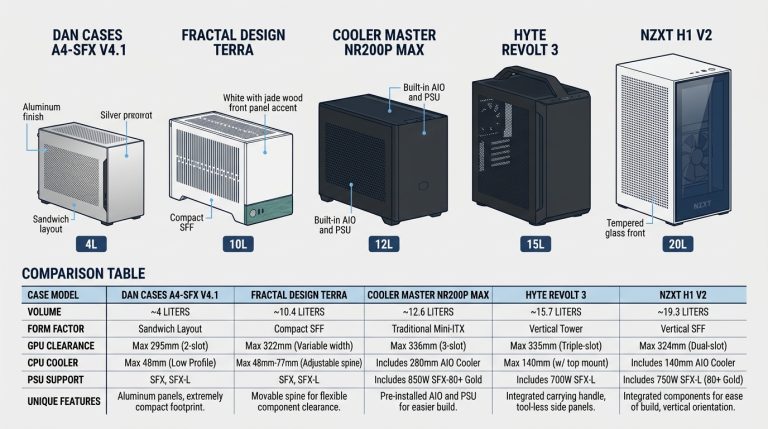
Top case picks: the Sliger SM580 and the Cooler Master NR200P Max, both available in black. The NR200P Max ships with its own AIO cooler, which removes one compatibility headache. GPU constraint is real in ITX: most cases top out at dual-slot cards. The RTX 4070 is the recommended ceiling for ITX stealth builds in 2026. Expect CPU temps to run 5-8°C warmer than equivalent ATX builds. GPU temperatures follow a similar pattern, since airflow paths are shorter and tighter. If you want to check where your GPU temps land relative to safe ranges, understanding normal GPU temperature ranges before you decide on case airflow strategy is worth the five minutes.
You can also explore PCIe riser cables if you want to vertically mount your GPU inside the case for better visual impact through a smoked glass panel. Works particularly well in ITX enclosures where GPU orientation can be flipped to face the viewer.
AMD vs. Intel for a Black PC Build: Does It Matter?
Short answer: not much. Both platforms have strong black motherboard options across budget and high-end tiers.
AMD’s B650 and X670 boards skew toward black PCBs as a near-standard, making budget stealth builds on AMD easier to color-coordinate without paying a premium. Intel’s Z790 platform has more mid-range black options in the $150-$200 price point, especially from ASUS TUF and MSI PRO lines.
Platform choice should follow performance needs and gaming workload, not case color. Black motherboard options exist at every price tier on both platforms. Don’t let aesthetics drive your silicon decision.
Stealth PC Build: The Art of True Black Aesthetics
The 5 Rules of a True Stealth PC Build
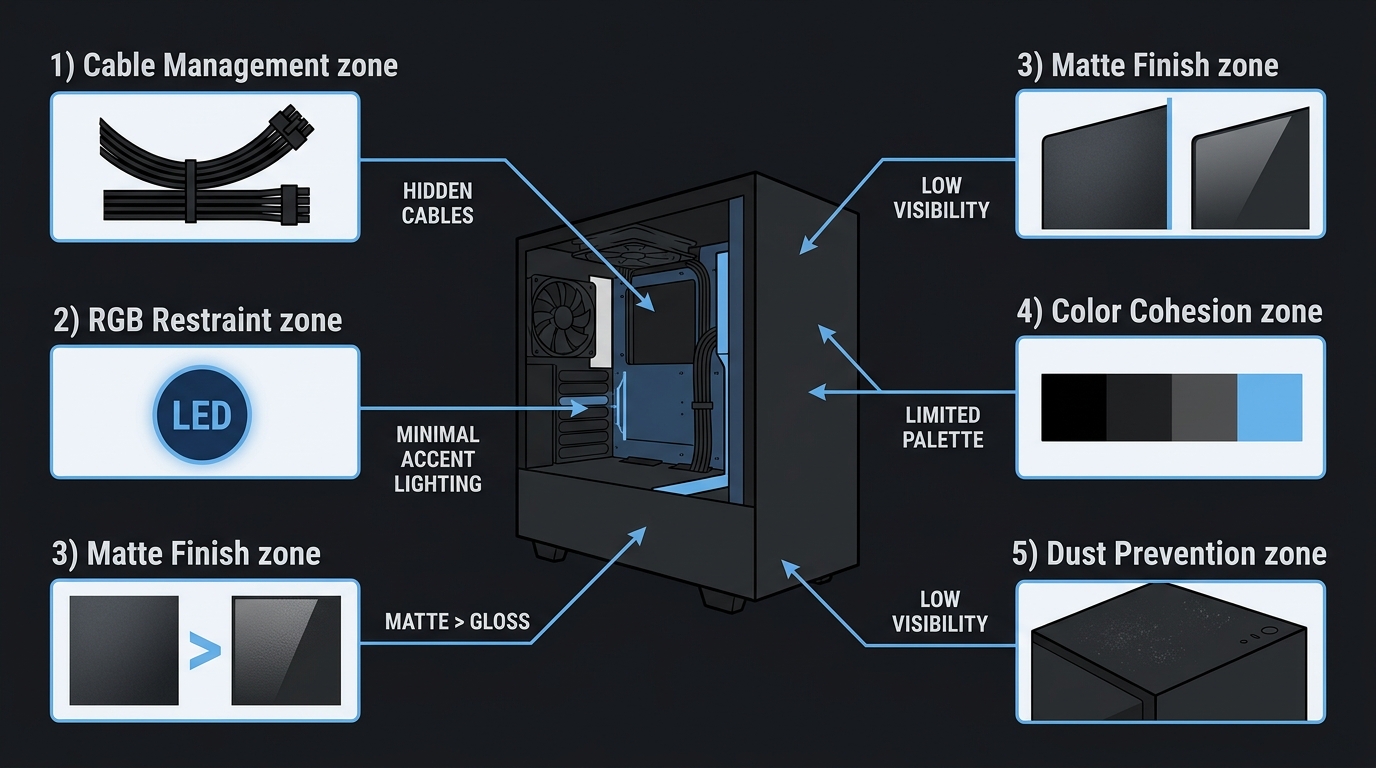
Most builders get 80% of the way to a stealth build and stop. Then they wonder why it still looks slightly off. The remaining 20% is in the details. These five rules close that gap.
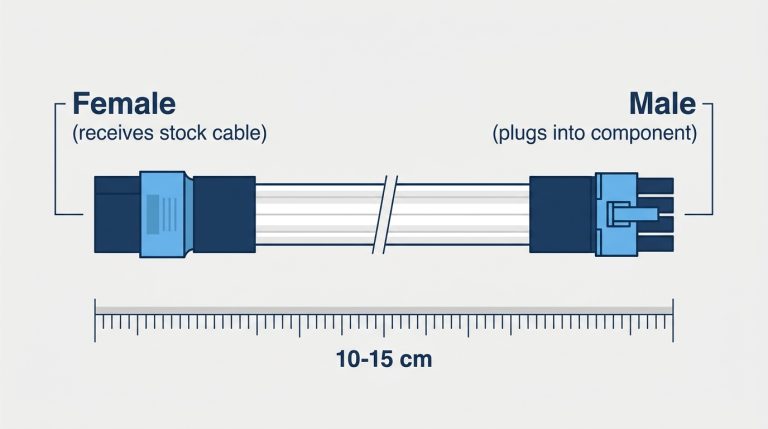
- Eliminate white connectors. Stock PSU cables from almost every manufacturer ship with white or off-white connectors on the motherboard end. Replace them or use all-black cable extensions. CableMod Pro series runs $60-$90 and is the cleanest solution on the market. Not optional for a true stealth build.
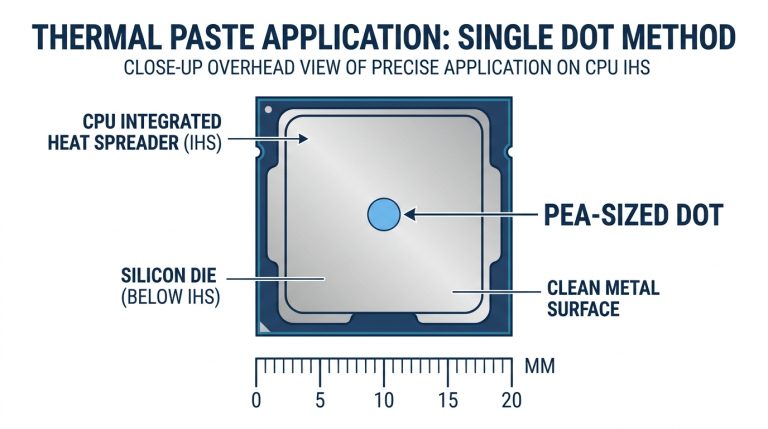
- Concealed thermal paste. Standard gray thermal paste sits hidden under your CPU cooler in almost every build, so the color rarely shows. If you’re running an exposed interface (custom loop GPU block, for example), graphite-based thermal pads from brands like Thermal Grizzly (Carbonaut) and Innovation Cooling (IC Graphite) offer a darker matte appearance and are reusable across builds. A small detail that only you’ll see, but that’s the point.
- Anodized black screws. Stock silver Phillips screws are stealth killers. Replace them with M3 black anodized screws, available in 100-packs on Amazon for roughly $12. Every mounting point you can see through the glass or during maintenance becomes part of the build’s visual language.
- Anti-RGB mode. Modern GPUs and motherboards let you disable or lock RGB entirely through ASUS Aura Sync, ARGB control software, and MSI Mystic Light. Lock everything to a single deep red, or kill it entirely. Stealth builds with zero RGB are uncommon enough to stand out. Either extreme works. The middle ground doesn’t.
- Darkened tempered glass. Phanteks and Lian Li both offer smoked or tinted glass side panels on select cases. These reduce interior visibility without eliminating it completely, creating a partial mystery effect that reads as deliberate and premium rather than cheap.
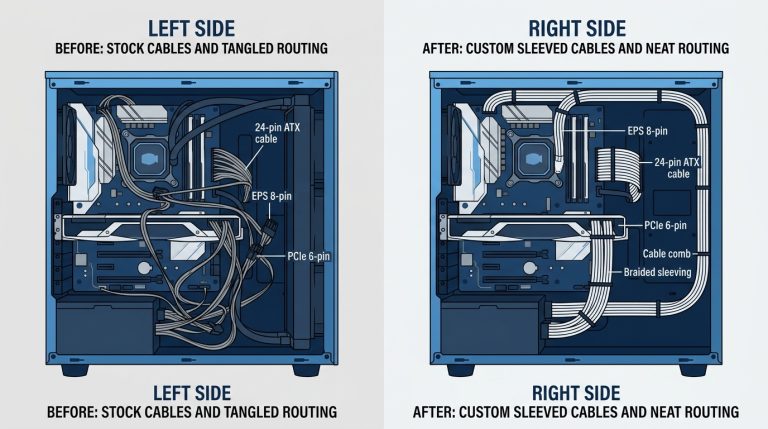
Stealth Cable Management Tips That Actually Work
Clean cable management in a black build takes longer than people expect. Budget two to four hours for a mid-tower. Here’s what actually matters:
- Use black zip ties exclusively. Natural or white zip ties are immediately visible and break the color language of the entire build.
- Black Velcro straps for bundling behind the motherboard tray. Monoprice sells 25-packs for about $6.
- Route GPU power cables through the back panel gap before connecting to the card. This keeps the stiff 12VHPWR cable from bow-arching in front of your motherboard.
- A PSU shroud, where the case offers one, conceals all power supply cables below the motherboard tray. Single biggest visual upgrade a mid-tower case can have.
- Dress front panel cables tightly to the bottom of the case before routing them up behind the board. These thin cables are the hardest to hide and the most commonly overlooked.
Two hours minimum. Four hours if you’re being serious about it. Worth every minute.
Black Gaming Setup Ideas: Building the Full Battlestation
The Black Desk Setup: Furniture and Surface Choices
The PC is only part of the equation. A stealth build sitting on a cheap white desk doesn’t look stealth. It looks inconsistent. Your furniture has to match your intention.
Recommended desk picks: the Secretlab Magnus Pro (black steel top, magnetic accessory system), the Flexispot E7 standing desk with black frame and black tabletop, or the IKEA ALEX/LINNMON pairing with a black frame and black tabletop for budget-conscious builds.
Desk mat is non-negotiable in a stealth setup. The Corsair MM500 3XL in black (micro-weave surface, black stitched edge) or the Glorious XXL Heavy in black are the two strongest options. Cover as much desk surface as possible with the mat to create a unified dark plane from edge to edge.
Monitor arm over monitor stand, always. The Ergotron LX in matte black finish runs about $130 and eliminates the silver or chrome base that ships with most monitors. That stand would otherwise sit directly in your sightline and break the stealth theme immediately.
Avoid: Desks with chrome legs, silver hardware, or light wood tops. They’re difficult to reconcile with an all-black aesthetic and you’ll notice them constantly once the build is done.
Black Gaming Peripherals That Complete the Setup
| Category | Product | Price (Est.) | Notable Feature |
|---|---|---|---|
| Keyboard | Keychron Q1 Pro (black) | ~$200 | Gasket-mount, silent operation |
| Mouse | Logitech G Pro X Superlight 2 (black) | ~$160 | 60g weight, HERO 2 sensor |
| Headset | SteelSeries Arctis Nova Pro (black) | ~$250 | ANC, hi-fi audio DAC |
| Mousepad | Corsair MM500 3XL | ~$50 | Micro-weave, stitched edge |
| Monitor | ASUS ROG Swift PG27AQN (black) | ~$800 | 360Hz, IPS, 1440p |
| Chair | Secretlab Titan Evo (black) | ~$520 | 4D armrests, tilt mechanism |
| Speakers | Logitech G560 (black) | ~$150 | RGB rear, LIGHTSYNC |
Lighting a Black Gaming Setup: Less Is More
Most setup guides tell you to light everything. That’s the wrong call for a stealth build. Too much light defeats the entire purpose of going dark.
Bias lighting behind your monitor, specifically the Govee Immersion TV backlight in a black unit at $40-$60, creates ambient glow without illuminating the whole room. It reduces eye strain during dark content and adds depth to the setup without competing with it.
For desk ambient light, a single Elgato Key Light Air gives a clean professional look that streams well and works for everyday use without washing out the setup’s dark atmosphere.
Color temperature matters here. Warm white (3000K) creates a cozy, focused atmosphere. Cool white (6500K) pushes toward a clinical, esports-lab feel. Deep red (ARGB locked to single color) creates the “war room” stealth aesthetic that most people picture when they imagine a proper stealth build.
Two light sources maximum. One behind the monitor, one on the desk. Anything more and you’re fighting against the dark aesthetic you spent money building.
Black vs. White Gaming Setup: Which Should You Build?
If you’re genuinely weighing these two options, here’s the head-to-head data. For deeper inspiration on the white side of this equation, the white gaming setup ideas guide covers that territory in full detail. But if you’re comparing them side by side right now, this table tells the story.
Head-to-Head Comparison
| Factor | White Gaming Setup | Black Gaming Setup |
|---|---|---|
| Dust Visibility | High, shows quickly on white surfaces | Low, hides dust 2-3x longer |
| RGB Impact | Softer, diffused glow | High-contrast, vivid pop |
| Room Lighting | Best in bright, naturally lit spaces | Works in any lighting condition |
| Component Availability | Growing, ~35% of flagship parts in white | Dominant, 85%+ of parts in black |
| Resale Value | Niche market, slightly lower | Broader demand, holds value better |
| Fingerprint Visibility | Very high on gloss white | Low on matte black |
| Aesthetic Style | Minimal, Scandinavian, clean | Aggressive, cinematic, tactical |
| Long-term Yellowing | Yes, plastics yellow in 3-5 years | No yellowing concern |
Verdict: White gaming setups win on trending aesthetics and brightness in well-lit rooms. Black gaming setups win on component availability, practical maintenance, RGB contrast, and long-term durability of the aesthetic. The hybrid black and white build is a growing trend that works when it’s deliberate. It fails when it’s accidental.
Use PCPartPicker’s compatibility checker to filter components by color before committing to a white or black build strategy. It saves a lot of return shipping.
Stealth Setup Ideas by Room Type
Small Room / Apartment Stealth Setups
Go ITX or mATX. Full towers in small rooms feel oppressive and make the whole space feel like it’s been taken over by the PC. An ITX stealth build on a floating desk shelf actually makes a small room feel more purposeful, not more crowded.
Wall-mount your monitor to reclaim desk depth. The IKEA LACK wall shelf hack with a black shelf and black bracket gives you a floating monitor platform for under $30. Skip the floor-standing tower entirely if you can. A black vertical GPU mounting bracket keeps a small form factor build visually contained on the desk surface without sprawl.
In a small space, every black element you add increases the sense of intentionality. A small room with a cohesive stealth setup reads as deliberate design. The same space with a mismatched color spread reads as unfinished.
Dual-Monitor Stealth Command Center
Matching monitors matter here. Same brand, same bezel width, same black finish. ASUS ROG and LG UltraGear both offer consistent black monitor lineups that pair without visual tension between screens.
A dual monitor arm is non-negotiable. Two silver monitor stands sitting side by side on a black desk immediately undermine the stealth aesthetic. The Ergotron LX dual in matte black eliminates both bases and allows precise height and angle matching between screens.
KVM switch recommendation if you’re running multiple devices: the UGREEN 4K HDMI KVM in a black unit keeps switching clean and the hardware consistent with your color scheme.
Streaming Stealth Setup
Black acoustic panels behind your stream background, from brands like Acoustic Geometry or Artnovion, eliminate white wall distractions that appear on camera and break the dark aesthetic your viewers see.
Mount your microphone arm in black. Exposed silver gooseneck mounts are fine functionally, but they show up clearly in stream frames and read as budget. The Elgato Master Mount in black keeps hardware invisible on camera.
Camera recommendation: Elgato Facecam Pro in all-black finish, with no visible LED indicator light. That small green or red status light on most webcams becomes a visual distraction in dark stealth setups. Not great. The Facecam Pro skips it entirely.
Frequently Asked Questions
What is the best color for a gaming setup?
There’s no single best color. It depends entirely on your room lighting and aesthetic goals. A white gaming setup works best in bright, naturally lit spaces for a clean modern look. A black gaming setup performs better in darker rooms, creates sharper RGB contrast, and requires less maintenance due to lower dust and fingerprint visibility on matte surfaces. Both are valid choices; the question is what your room and workflow actually need.
How long will a $2,000 gaming PC last?
A $2,000 gaming PC built in 2025-2026 should last five to seven years at high settings, covering 1440p through 4K gaming, before requiring meaningful upgrades. Typically the GPU gets upgraded first at the three to four year mark. The CPU, RAM, and platform often carry through five to six years without touching them, especially if you choose a platform with a longer socket lifecycle like AMD’s AM5 paired with a modern X870 or X870E chipset.
Are black PC builds harder to keep cool than white builds?
No. Case color has negligible impact on thermal performance. Airflow design, fan count, fan placement, and radiator size matter infinitely more than paint color. Black anodized aluminum can technically radiate heat very slightly more efficiently than reflective white surfaces, but real-world testing shows the difference at under 1°C. Don’t let thermal concerns influence your color decision. Choose your case based on airflow layout and build volume instead.
What makes a PC build “stealth”?
A stealth PC build eliminates all non-essential visual noise. Silver screws, white cables, RGB lighting, chrome accents, and color-inconsistent components are all replaced with black alternatives to create a single cohesive dark aesthetic. True stealth goes beyond just buying black parts and extends to details like anodized screws, black zip ties, black thermal paste, and smoked tempered glass panels that reduce interior visibility.
Can I mix black and white components in a stealth build?
Technically yes, but mixing compromises the stealth aesthetic unless the mixing is completely intentional. If you’re going to mix, limit white to one deliberate accent point, such as white RAM in a black case, rather than scattered inconsistent pieces across multiple components. Many builders pursue the black and white hybrid setup as a deliberate design choice rather than a stealth build. Both are valid. What doesn’t work is mixing by accident because you didn’t check component colors before buying.
Final Thoughts
A stealth black PC build gives you more component availability, better RGB contrast, lower visible maintenance requirements, and a look that doesn’t age or yellow the way white builds do. Whether you’re starting at $700 or $2,800, the black aesthetic scales cleanly across every tier. The builds above give you a starting point, but the details, the screws, the cables, the lighting restraint, are what separate a good stealth build from a great one. Nail those, and your setup will look intentional in a way that no amount of RGB can fake. Use PCPartPicker’s build list tool to spec out your version, verify compatibility, and track pricing before you buy a single component.

Alex has been building and tweaking custom PCs for over 12 years. From budget builds to full custom water loops, he’s assembled more than 50 systems and helped hundreds of builders troubleshoot their rigs. When he’s not benchmarking the latest hardware, you’ll find him optimizing airflow setups or stress-testing overclocks.